Advanced Source Code Extractor & Analyzer
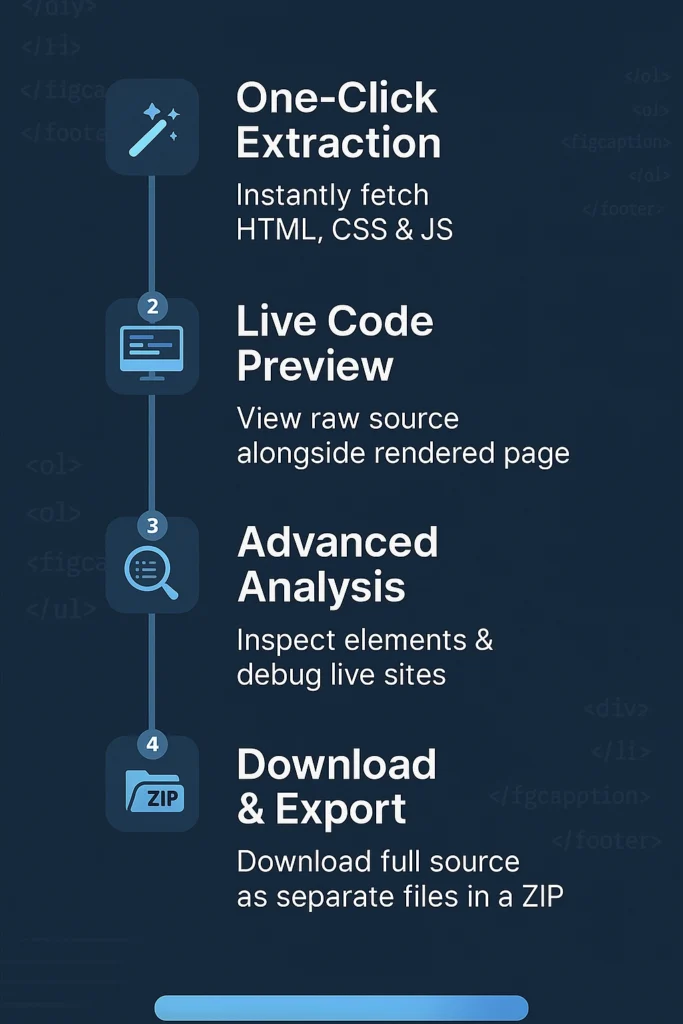
Page Source Code Viewer is a professional source code extractor tool that lets you extract, view, and analyze webpage HTML, CSS & JavaScript. Effortlessly download HTML source and export source code as separate files in a single ZIP archive..
Source Code Extracted
What Is Page Source Code Viewer?

Page Source Code Viewer is a professional HTML extractor and source code analyzer that retrieves a page’s complete HTML markup, CSS styles, and JavaScript in seconds. This advanced source code extractor lets you instantly view HTML code, download page source, and export website code as separate files—perfect for implementation insights, SEO audits, or live-page debugging. For a thorough overview of HTML fundamentals, see the MDN Web Docs HTML Guide.
This tool is provided solely for educational and development purposes. The source code you extract from any website remains the copyright of its respective owner and is protected under applicable laws.
You alone are responsible for obtaining any required permissions before using this tool on third-party sites.
WebSoftTools.com disclaims all liability for any unauthorized use of this tool or infringement of intellectual property rights. Always observe each site’s robots.txt, Terms of Service, and copyright policies.
Key Benefits Of View page Source Code Tool
Web Development Learning
- Study how leading sites structure layouts with modern CSS (Flexbox, Grid) and JavaScript frameworks.
- Reverse-engineer interactive components to accelerate your own development skills.
SEO Audits
- Inspect
<meta>tags, structured data (e.g., JSON-LD), heading hierarchy, and on-page keyword usage. - Compare your optimization strategies against best practices outlined in the Google SEO Starter Guide.
Competitive Analysis
- Benchmark competitor technical approaches and on-page SEO tactics.
- Identify performance bottlenecks and accessibility gaps in peer websites.
Debugging & QA
- Verify parity between your local development code and the live site implementation.
- Quickly pinpoint missing assets, broken scripts, or mismatched class names.
Code Quality Checks
- Measure complexity, file size, and adherence to best practices such as ARIA roles (see the WAI-ARIA Authoring Practices).
- Ensure your pages comply with performance and accessibility standards.
Educational Use
- Perfect for students and instructors exploring real-world examples in web development courses.
- Use extracted snippets in tutorials—always with proper attribution.
Professional-Grade Features
Syntax Highlighting
Color-coded HTML, CSS, and JavaScript for rapid readability.
Line Numbers & Navigation
Automatic numbering and clickable markers let you jump to specific lines in an instant.
Instant Search
Find tags, classes, functions, or attributes across the entire document within milliseconds.
Multiple Export Formats
Download your extraction as raw HTML, plain text, or richly formatted PDF documents for offline review.
Code Metrics
Get real-time statistics on file size, character count, and cyclomatic complexity.
Mobile-Friendly UI
Analyze code comfortably on any device—desktop, tablet, or smartphone.
How to Use the Tool
Step-by-Step Guide
1. Enter the URL
Paste the target page’s address into the input field.
2. Extract Code
Click “Extract Source Code” to fetch the full HTML, CSS, and JavaScript.
3. Analyze & Navigate
- Use the search bar to locate specific patterns or elements.
- Leverage line-number markers for easy reference.
4. Export Results
Choose your preferred format (HTML, TXT, PDF) and download instantly.
Best Practices for Analysis
Respect Copyright & Terms
Ensure you have permission to inspect or reuse code snippets from the target site.
Check robots.txt
Verify crawling permissions by consulting the site’s robots.txt (see the Robots Exclusion Standard).
Focus on Learning
Use extracted code as a learning tool rather than for unauthorized replication.
Provide Attribution
Always credit original authors when including snippets in tutorials or coursework.
Review Site Policies
Familiarize yourself with the target website’s terms of service to avoid policy violations.
Technical Underpinnings
CORS Proxy Handling
Secure cross-origin requests let you extract code from external domains without storing anything on our servers.
Real-Time Processing
All parsing and metrics calculation occur instantly within your browser.
Zero Server Footprint
No extracted data is ever uploaded or retained—maximum privacy guaranteed.
Cross-Browser Compatibility
Works seamlessly on Chrome, Firefox, Safari, Edge, and other modern browsers.
Responsive Design
Optimized UI ensures readability on devices of any size.
Common Use Cases
- Web Development: Learn implementation patterns from well-designed sites.
- SEO Auditing: Uncover meta strategies and structured data usage.
- Quality Assurance: Ensure consistency between staging and production environments.
- Accessibility Analysis: Review ARIA roles and semantic markup compliance.
- Performance Optimization: Spot heavy scripts and optimize load order.
Privacy & Security
- Local Processing Only: All extraction runs client-side; nothing is sent to our servers.
- No Data Storage: Extracted code is ephemeral and deleted upon export or page refresh.
- Secure HTTPS Connections: Protects against eavesdropping during code retrieval.
- Rate-Limit Respect: Honors target sites’ access policies to prevent overloading.
By integrating these practices and leveraging professional features, you can master HTML source code extraction for learning, auditing, and competitive research.
Frequently Asked Questions
Is it legal to extract source code from websites?
Extracting publicly available HTML source code is generally legal, but always respect copyright laws, terms of service, and robots.txt files. Use extracted code for educational and analytical purposes only.
Can I use this tool for commercial purposes?
The tool is free for personal and commercial use, but ensure you have proper authorization before using any extracted code in commercial projects.
Why can't I extract source code from some websites?
Some sites block automated requests, rely on JavaScript rendering, or use strict CORS policies. This tool works with publicly accessible HTML content only.
How accurate is the extracted source code?
It extracts the exact HTML delivered by the server, including inline CSS/JS. Accuracy depends on how the site serves its content.
Conclusion
Page Source Code Viewer simplifies web development by letting you instantly extract, preview, and download HTML, CSS, and JavaScript. Its advanced analysis tools and ZIP export streamline debugging, SEO audits, and code review workflows. Empower your projects with this source code extractor and unlock deeper insights into any webpage’s structure